A photograph does not need to be taken in a studio to feel right. A familiar expression, a tilted head or a quiet moment at home can be a good starting point. When choosing a photo for a pet memorial plaque, check that your pet is clear, the important details are visible and there is room for your wording.
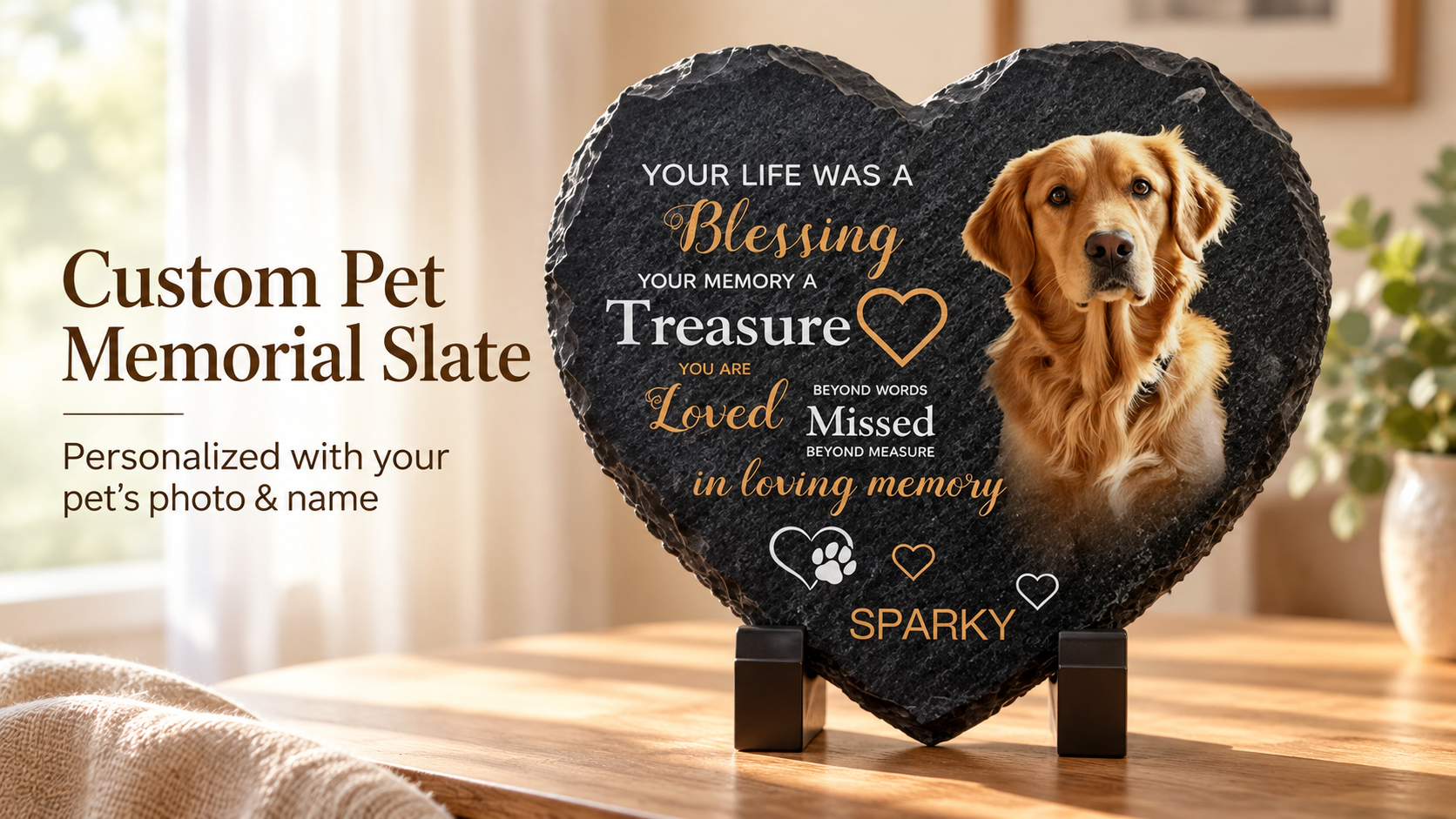
Our heart-shaped slate uses your uploaded digital photograph, with the photo and text printed directly on natural slate. This checklist will help you prepare your file, review the initial preview and discuss the final design with our team.
1. Find a clear original photo
Start with the original file from your phone or camera. Screenshots from messages or social media may have been compressed or include borders and text. Zoom in to check the eyes, nose and edges of the coat. Making an already blurry file larger will not restore missing detail.
Our upload field accepts JPG, PNG and GIF files up to 10 MB. A clear JPG or PNG still image is a useful starting point. If an older photograph is the only one you have, contact us to discuss its suitability before deciding.
2. Leave room around ears and paws
Choose a photograph with an unobstructed face and a little space around your pet. A background that is easy to distinguish from the coat can help the initial preview retain a complete outline.
A heart shape has a dip at the top and narrows toward the bottom. Moving the photo cannot recover an ear or paw that was already cut off in the original. Check the face, ears, chest and paws in the preview. If anything is missing or an edge looks unnatural, ask our team to review it.
3. Separate printed wording from special requests
Use Pet’s name for the name, Dates for any dates you want included and Message to print for wording such as “Always by my side.” Dates are optional. A shorter phrase leaves more room for the photograph.
Use Special requests for our team for instructions such as adding a small star beside the name. These notes are sent to our team and are not automatically printed in the preview. Please discuss special elements or layouts with us so we can confirm what is possible.
4. Review the layout and request your design proof
After selecting a size, uploading your photo and entering your wording, review the initial preview. Check your pet’s outline first, make sure the wording does not cover the face, then check every name, date and spelling. The photo size and position controls let you adjust the composition.
The preview is a guide to the layout. Screen colors, natural slate texture and the printed result can differ; our team will work with you to confirm the final design. To discuss extra personal touches and receive a custom design proof, contact us.
5. Choose a size for your display space
The heart slate is available in 15 × 15 cm and 20 × 20 cm, with a black display stand included. Measure the shelf or tabletop where you plan to place it and allow room for the stand. A larger plaque will not make a blurry source photo clearer.
We recommend a stable indoor display position, away from edges where the plaque could be knocked over. Our guide to choosing a pet memorial stone covers more considerations for materials, size and placement.
A quick check before you submit
- Your pet is clear and important details have not been cropped out.
- Names, dates, printed wording and the selected size are correct.
- Extra design requests are included in the notes for our team.
- Any concerns about the initial preview are ready to discuss in your final design review.
When you are ready, visit the personalized heart pet memorial slate and upload the photograph you would like to keep close.